5.0
out of 5Based on 1 reviews
Why Sweep
A Faster, Friendlier Way to Clean Your Camera Roll
Sweep gives you every tool you need to declutter thousands of photos and videos without the dread — and without a single upload.
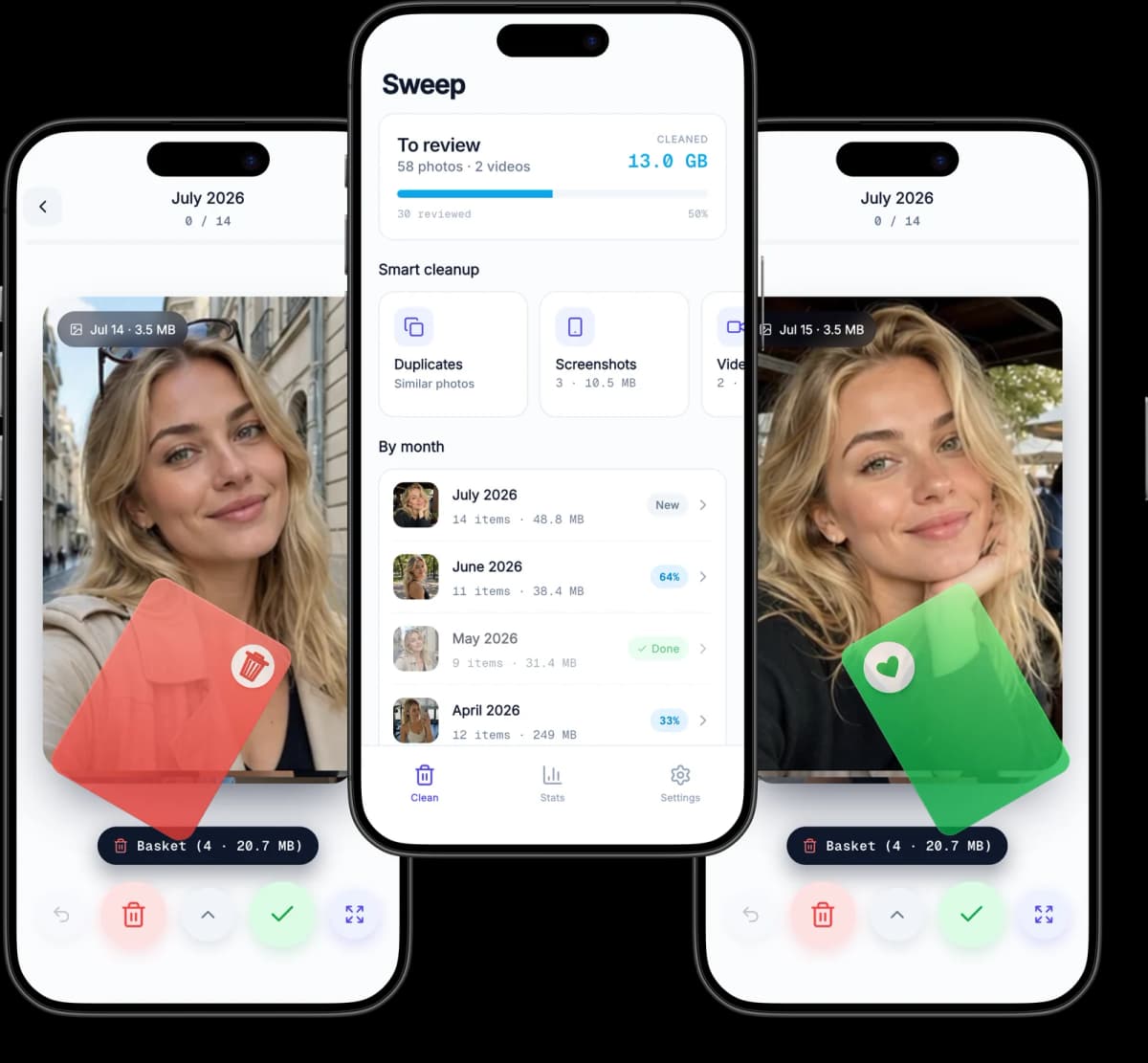
Swipe to Keep or Delete
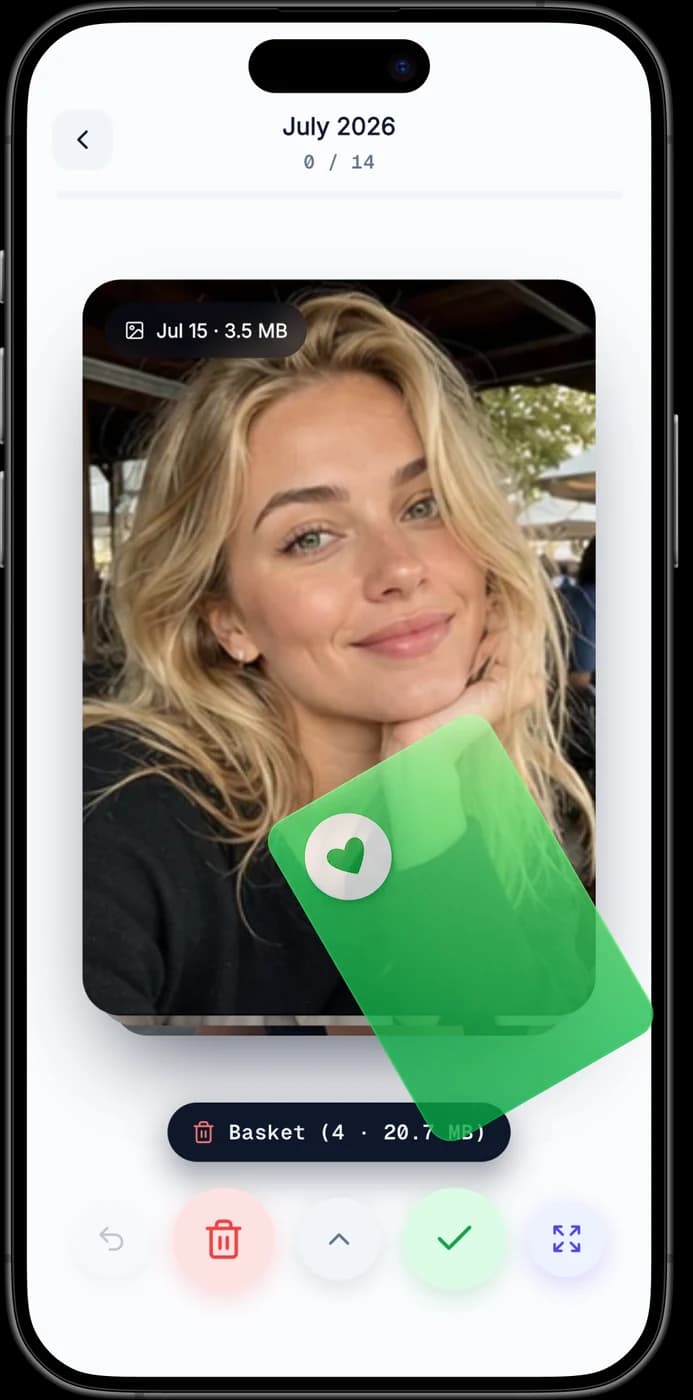
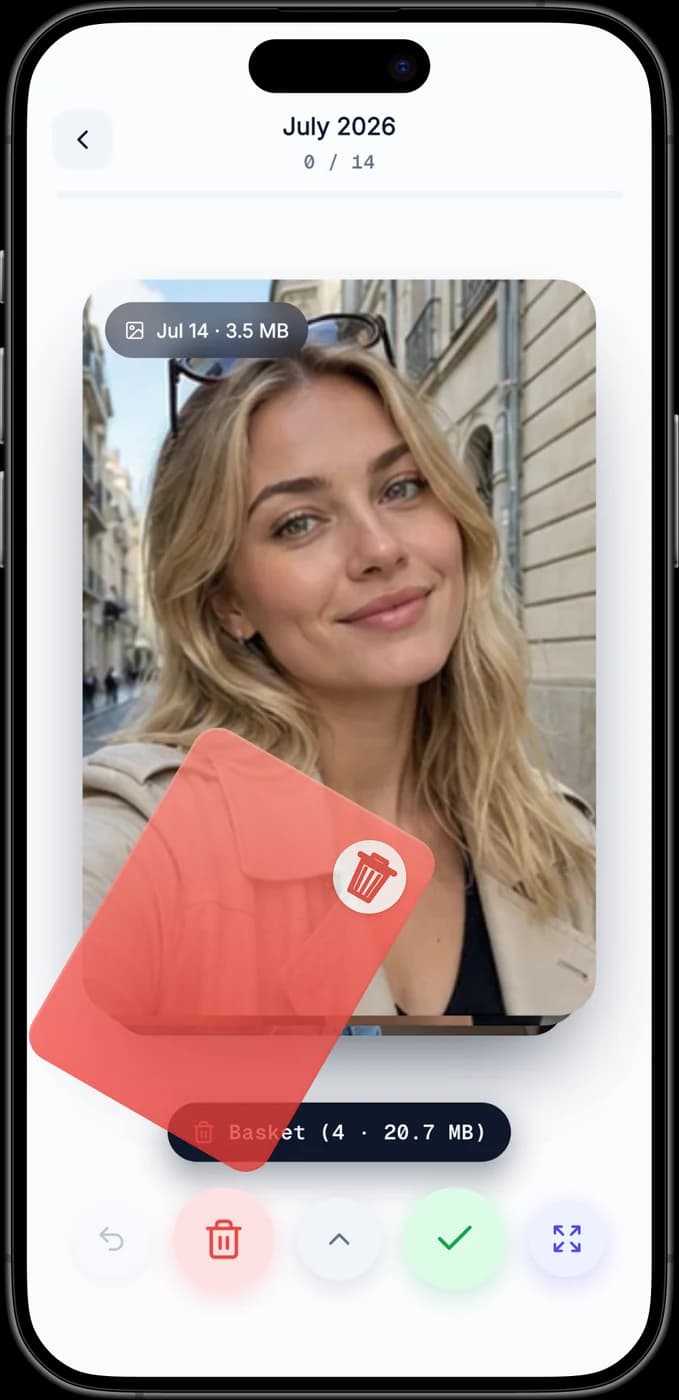
Sweep shows one photo at a time — swipe right to keep, left to delete. Reviewing hundreds of shots feels fast and oddly satisfying instead of overwhelming.
Organized Month by Month
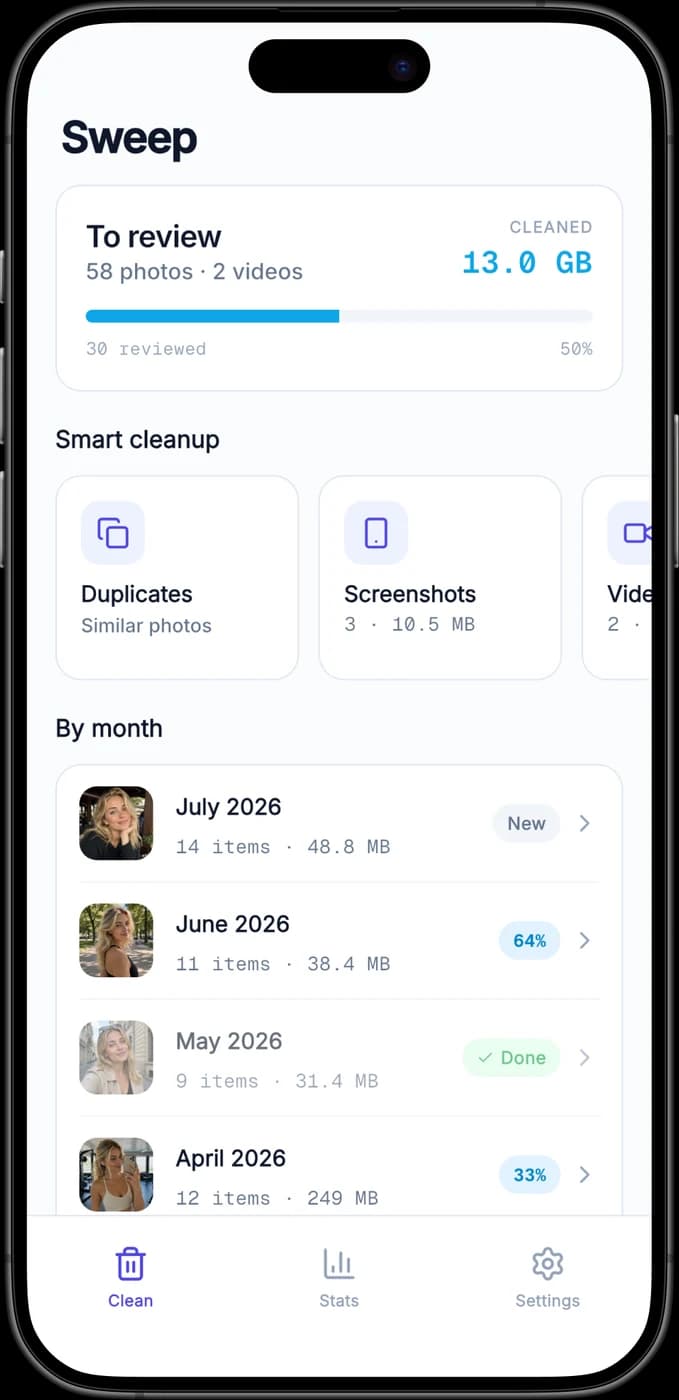
Sweep groups your library into monthly batches with a progress bar for each, so you always know what's left and can pick up exactly where you stopped.
Find Similar Photos
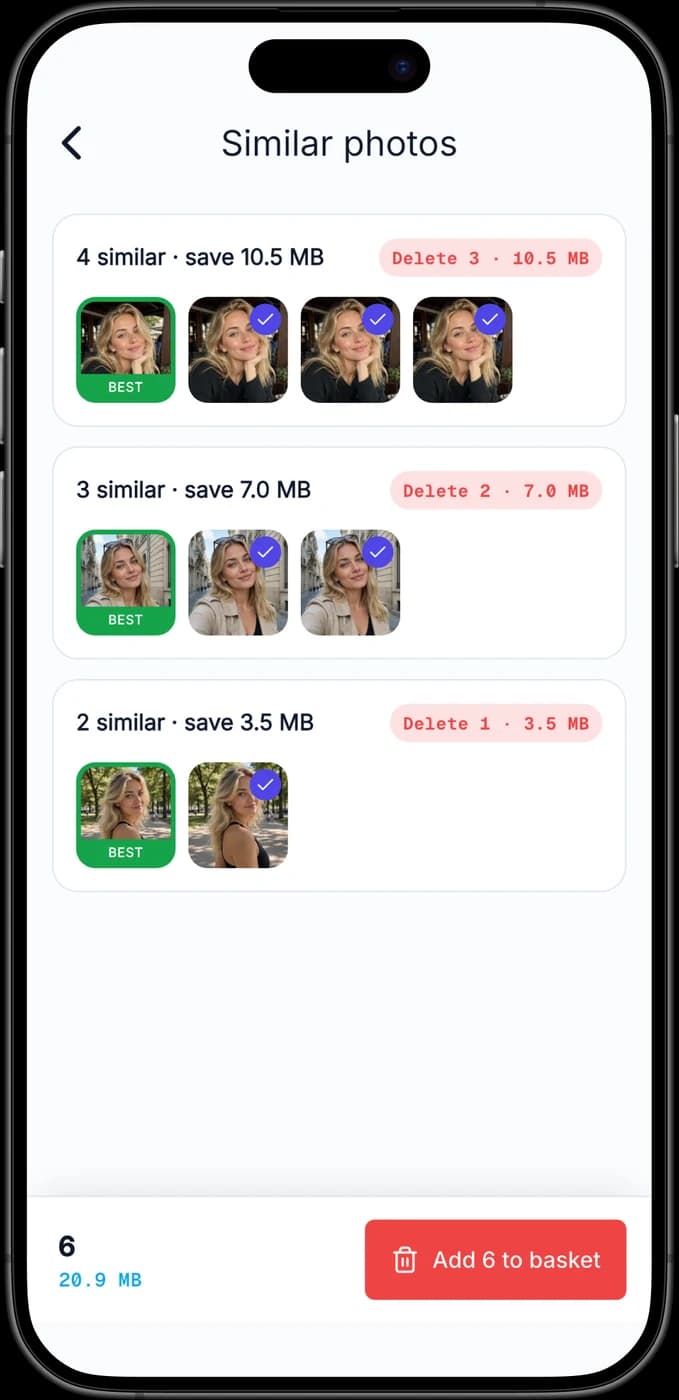
Sweep detects near-duplicate shots — the ten almost-identical selfies — highlights the best one to keep, and clears the rest in a single tap.
Compress to Save Space
Sweep shrinks your largest photos and videos without deleting them, so you can win back gigabytes while keeping every memory in your library.
See Every Gigabyte You Free
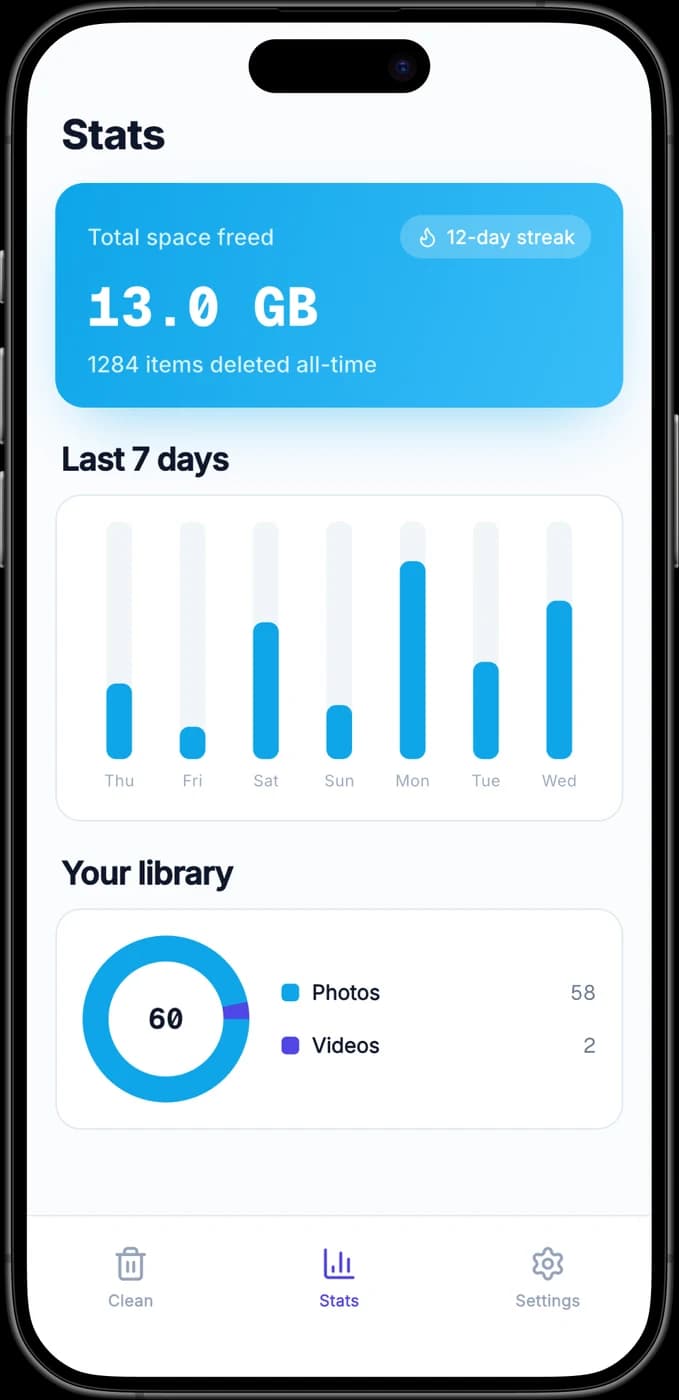
Sweep tracks total space reclaimed, items cleaned, and your cleanup streak, turning a boring chore into visible, motivating progress.
100% On Your Device
Sweep works entirely offline. Your photos and videos are never uploaded, never sent to a server, and never seen by anyone but you.
No Accidental Deletes
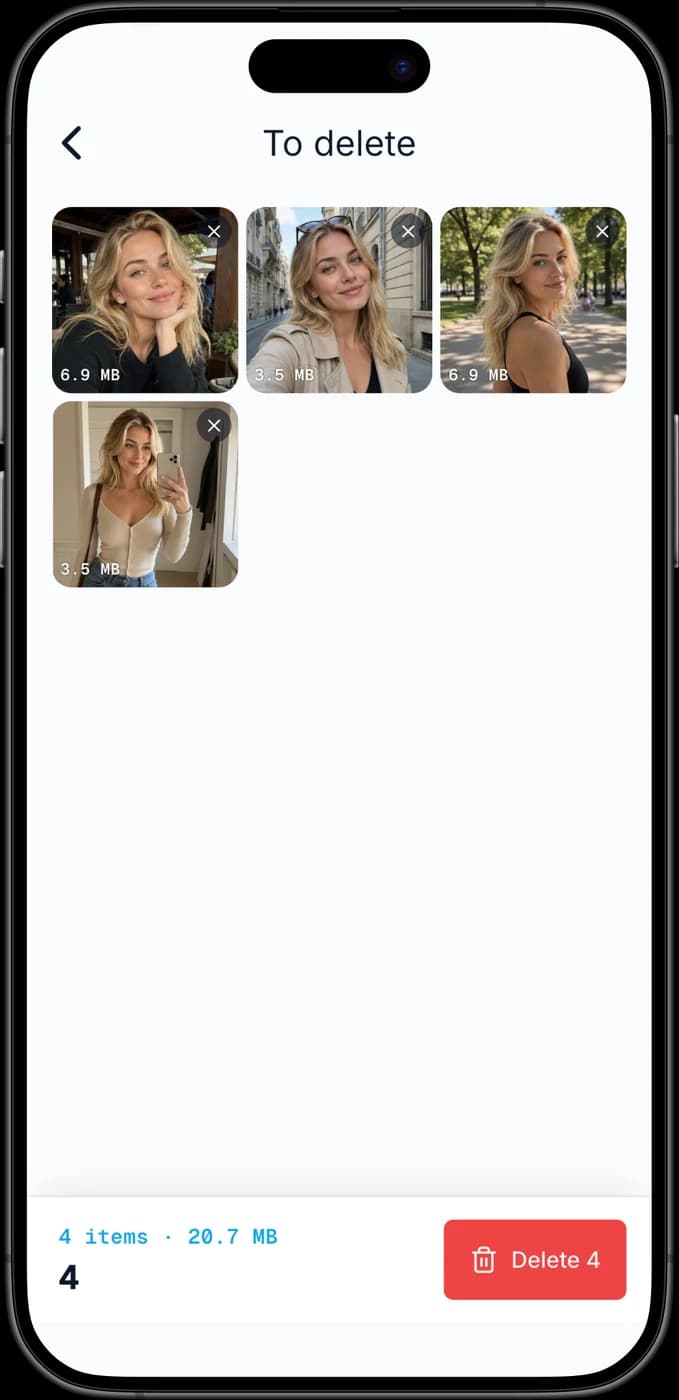
Nothing vanishes the moment you swipe. Everything you swipe left waits in a basket you review, and nothing leaves your library until you confirm — on iPhone it then sits in Recently Deleted for 30 days.
Photos and Videos Alike
Sweep handles your whole camera roll — HEIC photos, screenshots, Live Photos, and 4K videos — surfacing the big files that eat the most storage first.
How It Works
A Cleaner Camera Roll in 3 Steps
No accounts, no cloud, no learning curve. Download Sweep, grant photo access, and start reclaiming space in under a minute.
Grant Photo Access
Download Sweep free from the App Store or Google Play and allow access to your photos. Everything stays on your device — Sweep never uploads a single image.
Swipe Through Each Month
Sweep serves your library one photo at a time, grouped by month. Swipe right to keep, left to delete, and up to skip — no agonizing over folders.
Empty the Basket
Everything you swiped away collects in a basket. Review it once, tap delete, and watch Sweep report exactly how many gigabytes you just freed up.
Screenshots
See Sweep in Action
Take a closer look at the swipe deck, monthly library, and cleanup stats on iPhone and iPad.
FAQ
Got Questions? We Have Answers
Everything you need to know before you start cleaning.
What is Sweep?
Sweep is a free iPhone photo cleaner from Vidus6 that helps you declutter your camera roll by swiping — right to keep, left to delete — one month at a time. It also finds similar photos, compresses large files, and shows how much storage you've reclaimed, all without uploading anything.
Is Sweep free?
Yes. Sweep is free to download and use for everyday cleaning. An optional Sweep Pro subscription unlocks unlimited daily swipes, the similar-photos finder, smart compression, and advanced stats.
Does Sweep upload my photos anywhere?
No. Sweep runs entirely on your device. Your photos and videos are never uploaded, never sent to a server, and never seen by anyone else. Nothing ever leaves your phone.
If I delete a photo by mistake, can I get it back?
Sweep never deletes the moment you swipe — everything you swipe left waits in a basket you review before committing. On iPhone, deleted items then go to the Recently Deleted album, where iOS keeps them recoverable for 30 days. On Android, your phone asks you to confirm the delete first, and whether the files land in a trash folder afterwards depends on your gallery app.
Which devices does Sweep support?
Sweep is available on iPhone and iPad running a recent version of iOS, and on Android phones and tablets through Google Play.
How does compression save space without deleting photos?
Sweep re-encodes your largest photos and videos into smaller files while keeping them in your library, so you free up storage without losing the memory. You choose the quality level, and the original is replaced only after you confirm.
Can I cancel Sweep Pro at any time?
Yes. On iPhone, Sweep Pro is billed through your Apple ID — cancel anytime from your App Store subscription settings. On Android, it's billed through Google Play — cancel anytime from your Play Store subscriptions. Either way, you keep Pro features until the end of the current billing period.